New Smart modes for ID cards, books and receipts On-device document scanner

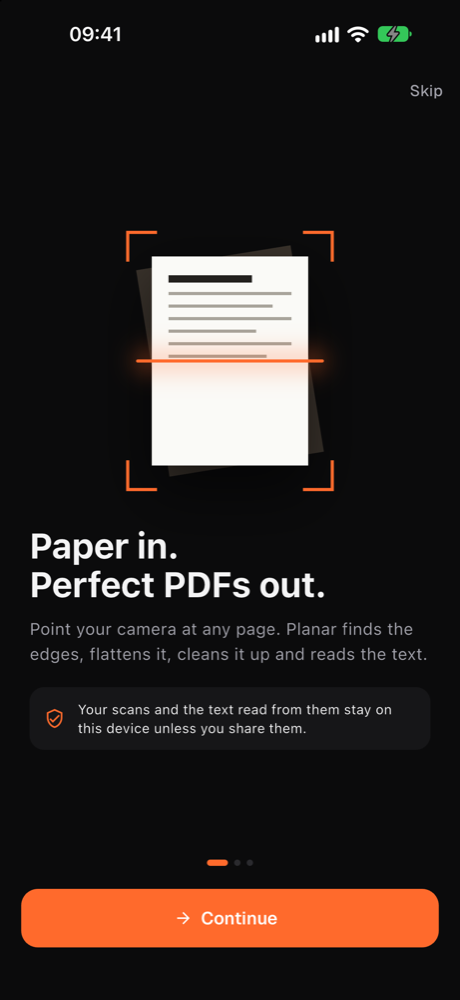
Paper in. Perfect PDFs out.

Point your phone at any page. Planar finds the edges, flattens it, lifts the shadows and reads every word, all on the device in your hand. Nothing is uploaded, ever.

0
pages uploaded, ever
100%
of text read on-device
AES-256
PDF password lock
Built on Apple Vision OpenCV Google ML Kit AES-256 Face ID
The pipeline

Six steps.
Under a second.

Every scan runs the same engine, on your phone, before you have lowered your arm.

  1. 01PointFrames stream from the camera at full rate.
  2. 02DetectFour corners found and tracked, even at an angle.
  3. 03FlattenPerspective corrected to a true rectangle.
  4. 04CleanShadows lifted, text sharpened, paper whitened.
  5. 05ReadEvery word recognized on the device.
  6. 06SharePDF, images or text, locked if you like.

Most scanner apps are a camera with a filter. Planar is a document engine that happens to live in your pocket, so the output is a real document, not a photo of one.

01 · Scan

Shoot it crooked.
Get it straight.

Live edge detection, a perspective fix and five looks for every page: Original, Magic, B&W, Gray and Vivid. Magic lifts shadows and sharpens text on its own.

  • Drag any corner to adjust the crop yourself
  • Multi-page capture with reorder, rotate and retake
  • Book, ID card, receipt, board and QR modes on the dial
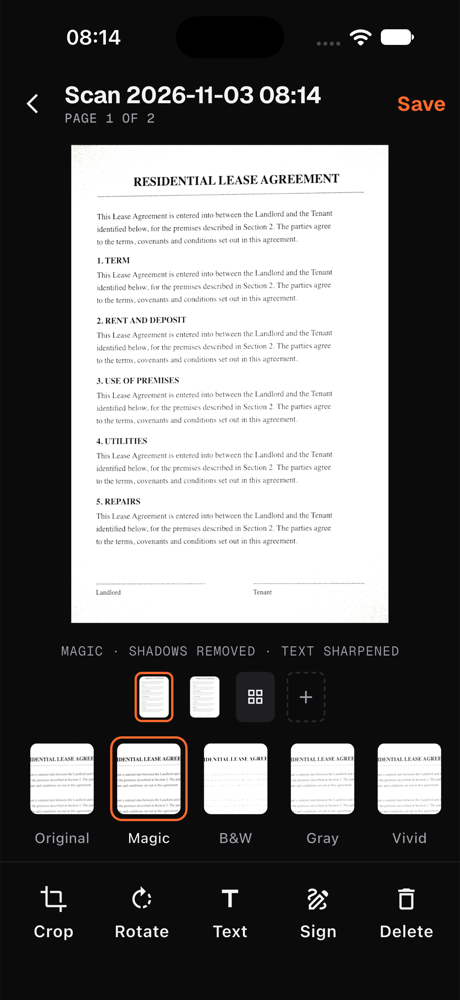
Planar's review screen: a cleaned two-page lease with the Original, Magic, B&W, Gray and Vivid looks and Crop, Rotate, Text, Sign and Delete tools
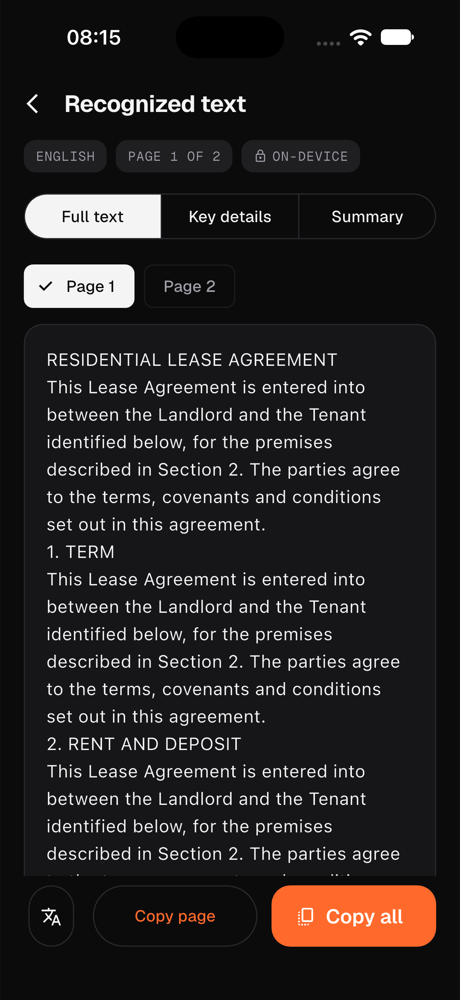
Planar's recognized text screen with Full text, Key details and Summary tabs showing the text of a lease agreement
02 · Read

Every word,
read on your phone.

Text recognition runs on the device with Apple Vision or Google ML Kit. Copy the full text, read a summary, or just the key details Planar pulls out: dates, amounts, names and numbers.

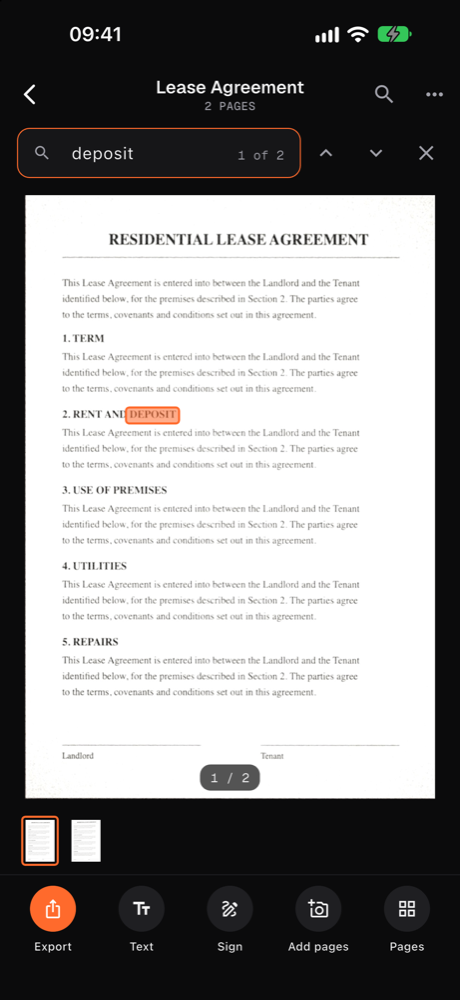
  • Search a word and jump to the page it is on
  • Translate a page without it leaving the phone
  • Smart titles name new scans for you
03 · Export

Proper PDFs.
Locked if you like.

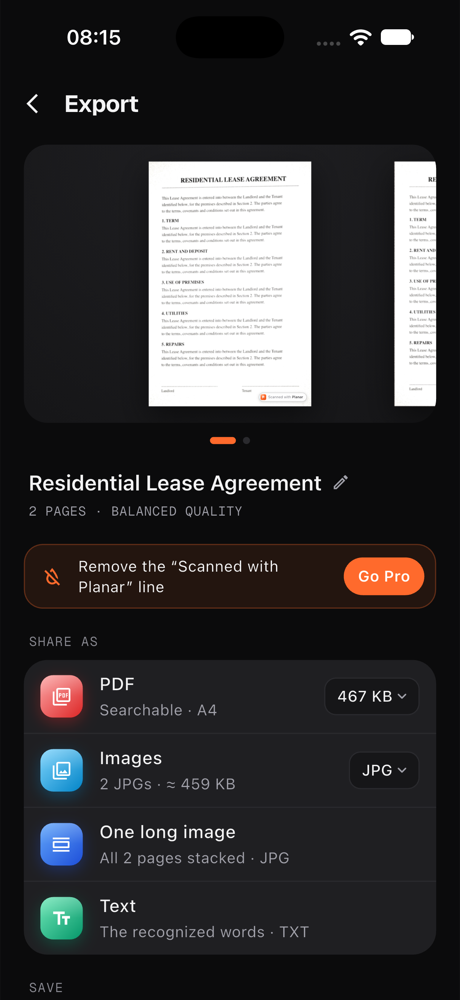
Share as a searchable PDF, as images, as one long image or as plain text, with the file size right there on the row. Add a password and the PDF is encrypted with AES-256 before it leaves the app.

  • Save to Files or Photos, print, or send anywhere
  • Sign with a saved signature before you send
  • Redact ID numbers on cards automatically
Planar's export page: a swipeable page preview, the file name, and Share as rows for PDF, Images, One long image and Text
Try it right here

A photo goes in.
A page comes out.

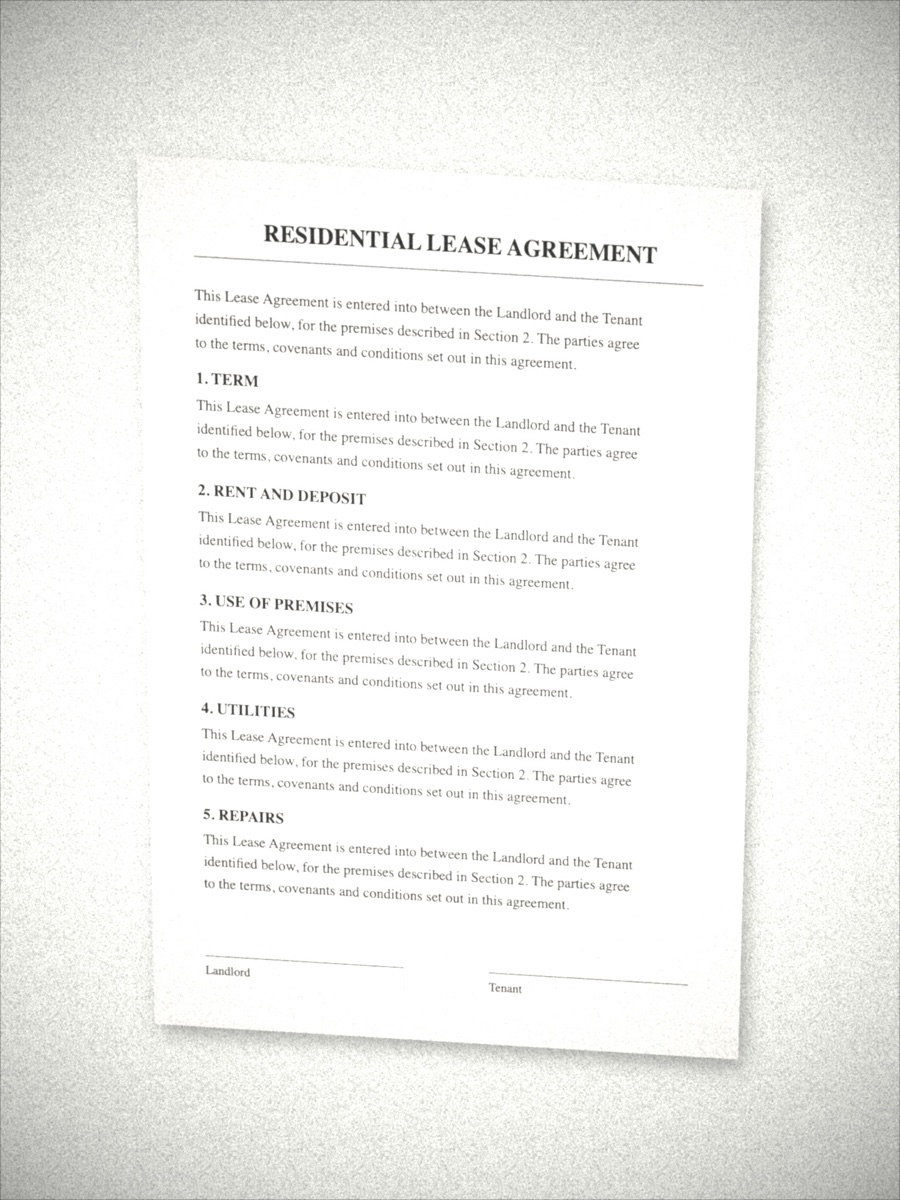
A real sample photo from Planar's test set. Pick a look and watch the page change, the same five looks you get in the app.

What the camera saw1512 × 2016
A lease agreement photographed at a slight angle on a bright table Edges found
What Planar savedMAGIC
The same lease, cropped to the page and flattened
MAGIC · SHADOWS REMOVED · TEXT SHARPENED

In the app, all of this runs on your phone. Nothing is sent anywhere to be processed.

Everything in one app

Your paper life,
finally in order.

Library

Folders, titles, search

Smart titles name each scan from its content. File it, or search a word and jump straight to the page it is on.

Sign

Sign it and send it

Draw your signature once. Drop it on any page, resize it, export. Saved signatures stay on your phone.

Smart modes

ID card, book and receipt

Both sides of a card on one page at actual size. A book spread split into two clean pages. A long receipt that stays readable.

Lock

Face ID at the door

Lock the whole app behind Face ID, Touch ID or your passcode. Your scans stay yours even when your phone is not.

Anywhere

Widgets, shortcuts, share sheet

Start a scan from a home screen widget, a long press on the icon, Siri or Shortcuts. Send a photo or PDF to Planar from any app.

Offline-first

Works on a plane

Scanning, text recognition, search and export need no connection at all. The only thing that touches the network is the store, when you buy Pro.

Compare

A photo of a page is not a document.

AspectCamera photoPlanar scan
Edges and angleWhatever your hand didCropped to the page, flattened square
Shadows and desk lightBaked inLifted, paper whitened
The wordsPixelsSearchable, copyable, summarized
Many pagesMany photosOne PDF, in order, with page numbers
Sending itA 4 MB JPEG per pageA small PDF, locked with a password if you like
Where it livesLost in the camera rollNamed, filed, and found by a word inside it
Privacy by design

Your documents are
your business.

Planar is not a cloud service with an app in front of it. Read the full privacy policy.

Read on the device

Apple Vision on iPhone, Google ML Kit with a bundled model on Android. No page is sent anywhere to be recognized.

Nothing uploaded

Photos, pages, recognized text, signatures and ID images stay on your phone unless you share or print them yourself.

No ads, no tracking

No advertising ID, no tracking prompt, no selling anything to anyone. Planar is paid for by Pro, not by you being the product.

Redacted when it matters

ID card mode can blank out the card number before you export, so the copy you send carries only what it needs to.

Pricing

Start free.
Go Pro when you need more.

The free version is the whole scanner. Pro removes the limits and adds the tools professionals ask for.

Free

Everything you need to scan and share.

$0forever

  • Up to 20 documents
  • Edge detection, flatten and all five looks
  • On-device text recognition and search
  • PDF and image export, folders, app lock
  • A small “Scanned with Planar” mark on exports
Download free
Best value

Planar Pro

No limits, no mark, every tool unlocked.

Monthly$2.99 /mo
Yearly · save 19%$29 /yr
Lifetime$99 once
  • Unlimited documents, no watermark
  • Password-protected PDFs, AES-256
  • Sign documents with saved signatures
  • ID card, book and receipt smart modes
Get Pro in the app

Prices in USD; the store shows yours in local currency. Monthly and yearly renew until cancelled, from your store account. Lifetime is a one-off purchase.

FAQ

Questions, answered.

Does Planar upload my scans anywhere?

No. Scanning, text recognition, search and export all run on your phone. The only network traffic is with Apple or Google for Pro purchases, your optional account, and anonymous usage counts: which screens are opened, never what is on them.

What do I get for free?

The whole scanner: edge detection, flattening, all five looks, text recognition, search, folders, app lock and PDF or image export, for up to 20 documents. Free exports carry a small “Scanned with Planar” mark.

How secure is a password-protected PDF?

The file is encrypted with AES-256 on your phone before it leaves the app. Anyone who receives it needs the password to open it in any PDF reader. Planar does not keep the password.

Which phones does it run on?

iPhone, with Apple Vision doing the detection and reading, and Android phones, with OpenCV and Google ML Kit. Both get the same features and the same Pro subscription.

Can I cancel Pro?

Yes, any time, from your App Store or Google Play subscriptions page. Your documents stay in the app either way. Lifetime is a one-off purchase with nothing to cancel.

Your phone just
became a flatbed.

Download Planar free and scan your first page in seconds. No account needed to start.